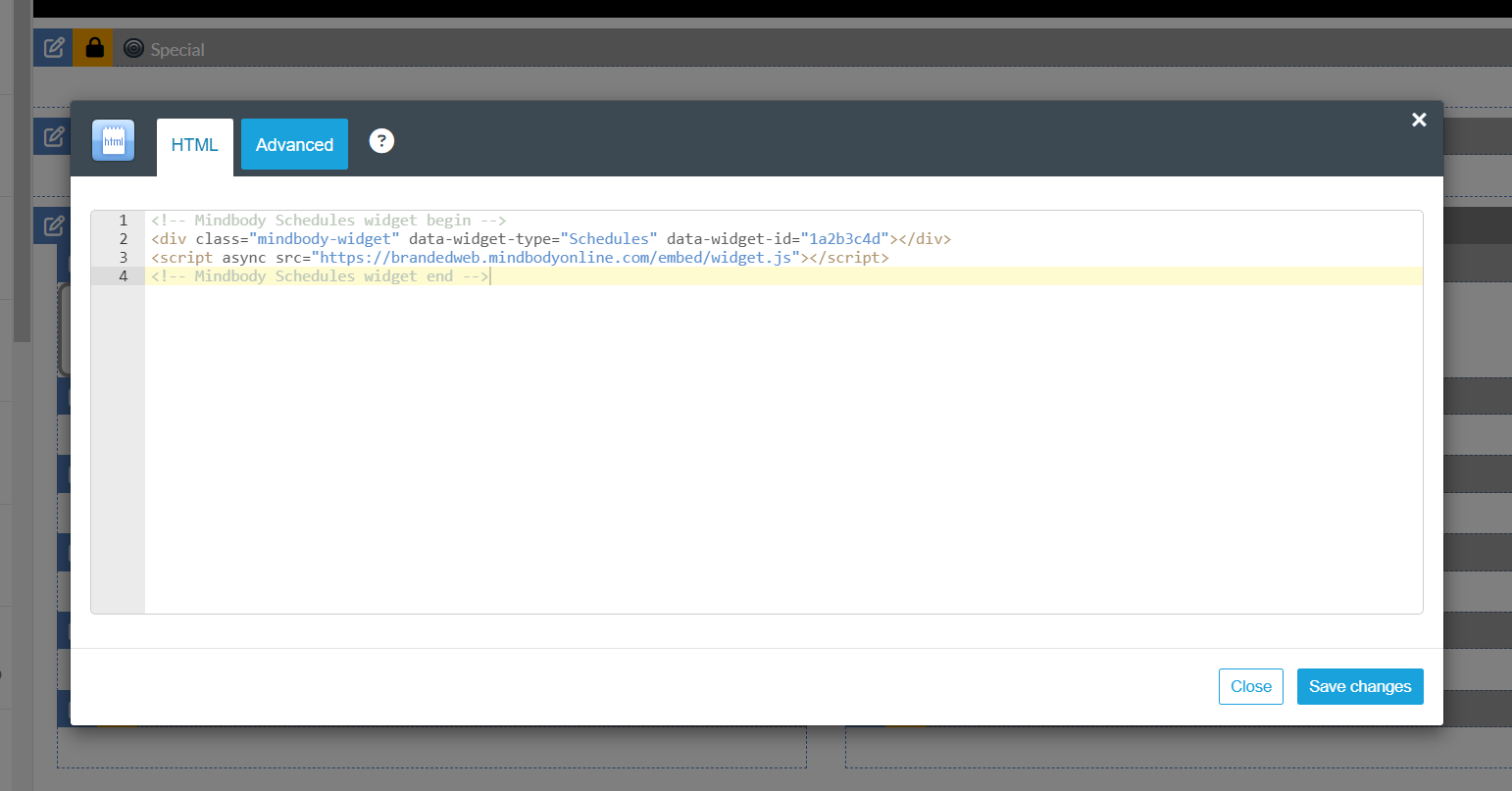
Mindbody Branded Web Tools (mindbodyonline.com/business/branded-web-tools) offer a variety of widget solutions that are fully compatible with liveedit's website platform.
In This Article:
- Branded Web Tool Widget Options:
- Creating a Branded Web Tool Widget
- Installing Branded Web Tool Widget
- Install Example
Please Note: Liveedit cannot adjust the overall design or functionality of mindbody Branded Web Tools. Please contact Mindbody's support for any questions on functionality.
Branded Web Tool Widget Options:
Creating a Branded Web Tool Widget
- Log in to Mindbody's Branded Web Tool Manager: https://brandedweb.mindbodyonline.com/users/sign_in
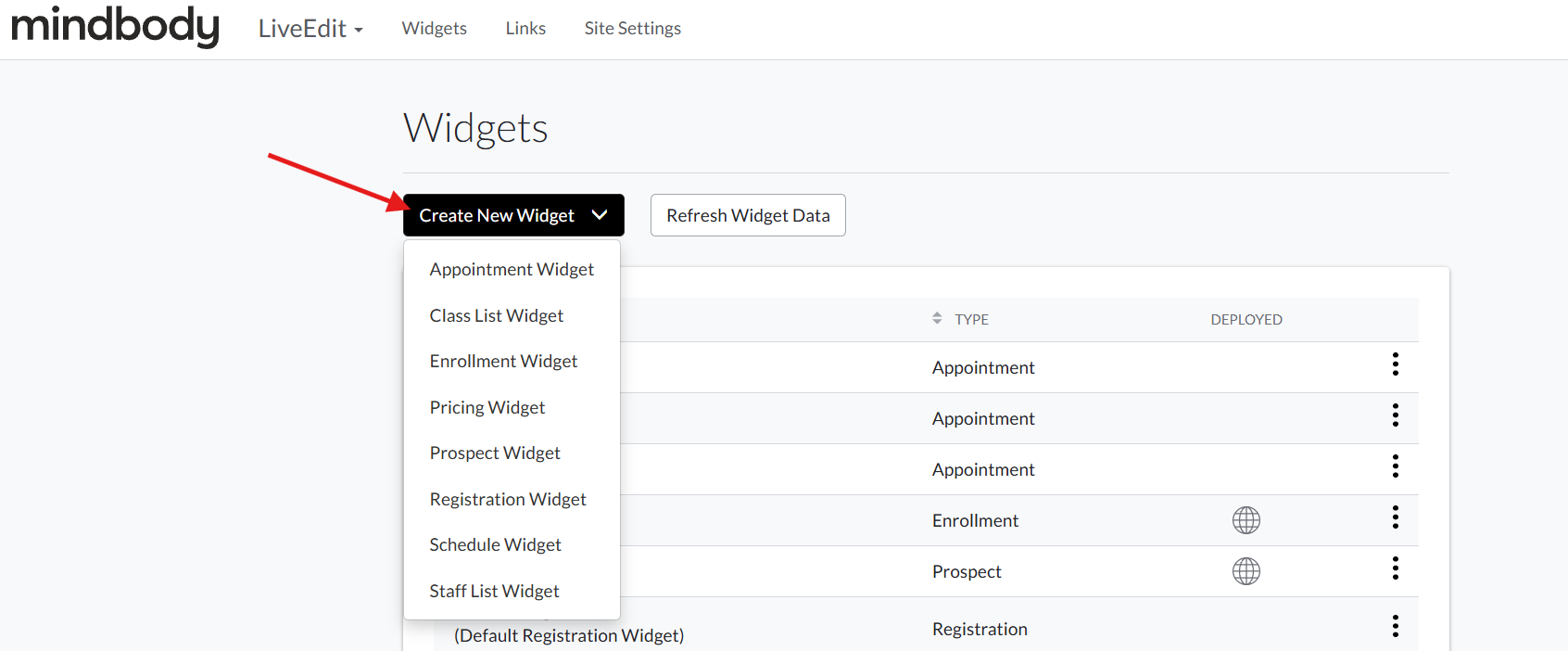
- Navigate to the Widgets tab, then click Create New Widget.
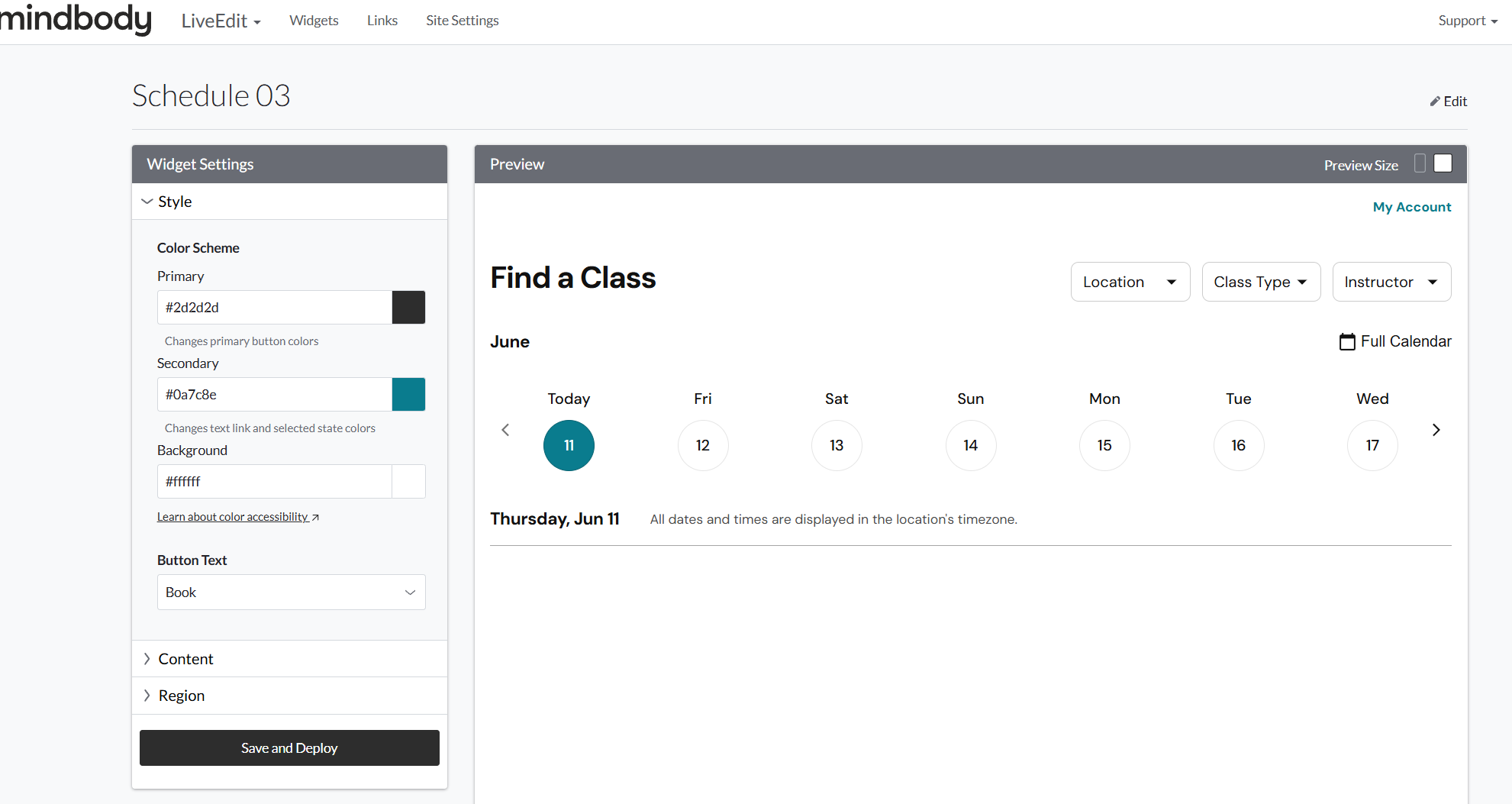
- Adjust your desired Widget Settings on the left-hand panel.
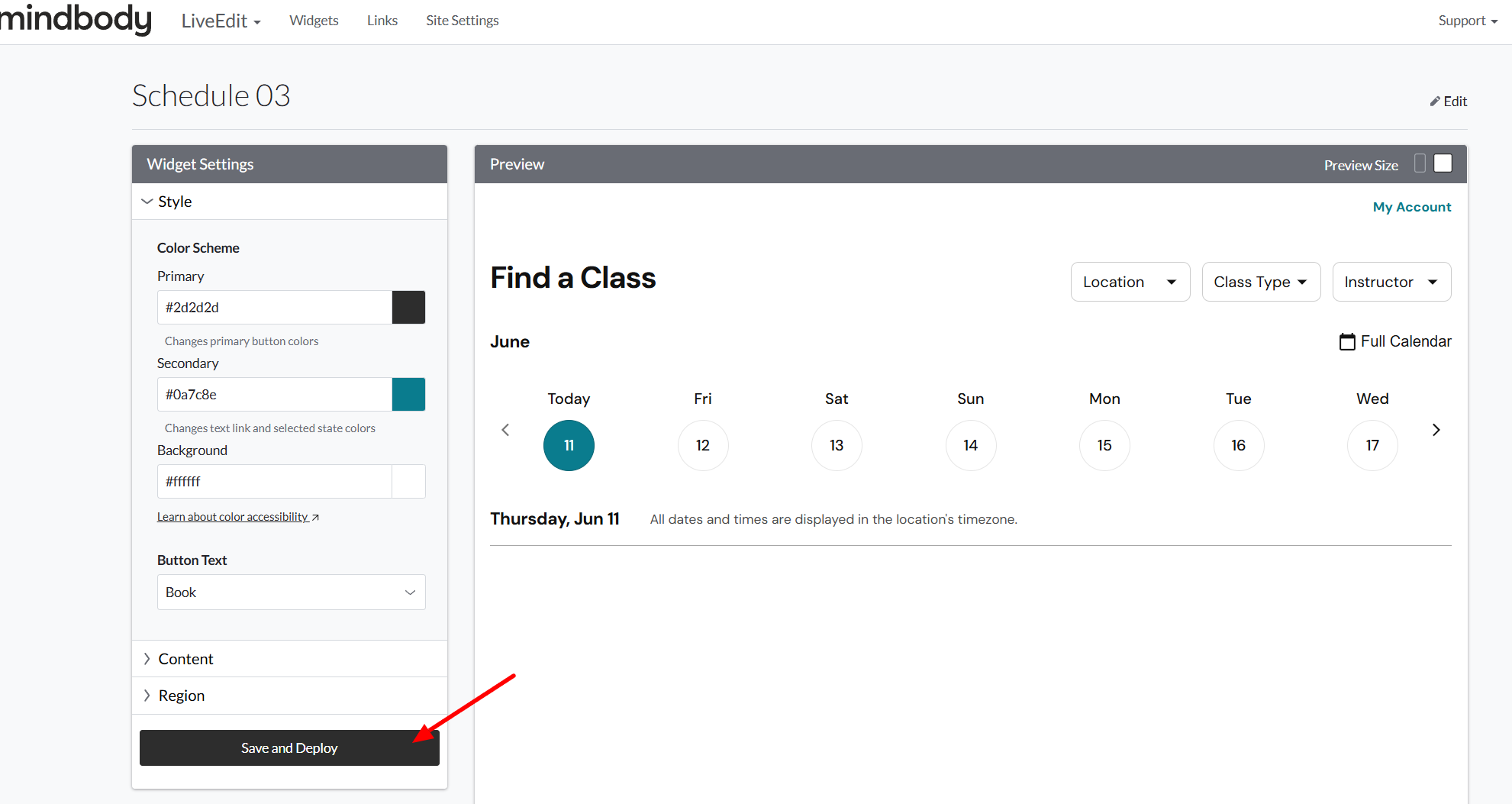
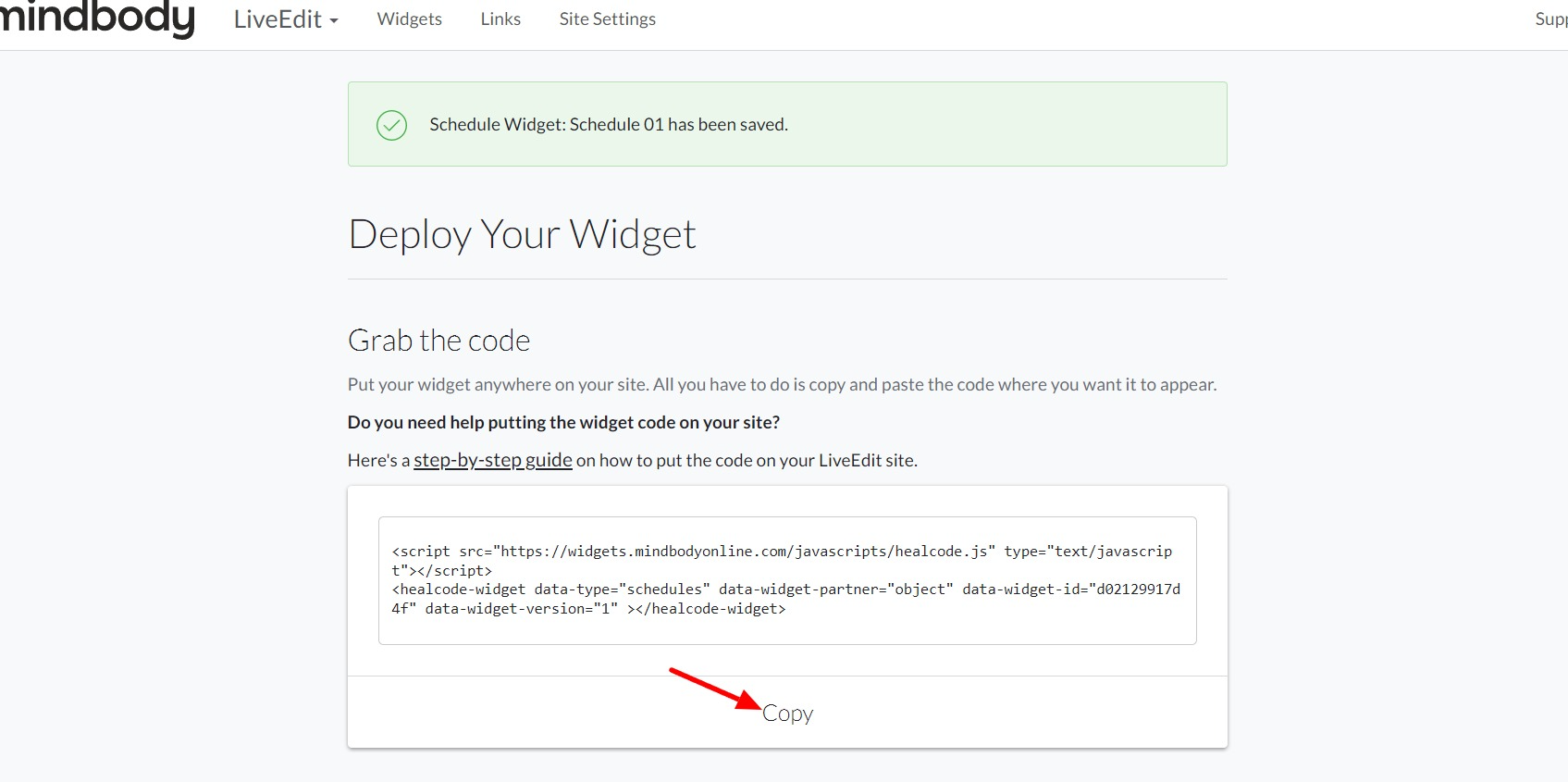
- Once all set, click on Save & Deploy.
- Copy the provided code snippet.
Installing Branded Web Tool Widget
- Log in to your liveedit website (How to Login)
- Navigate to the page you wish to add the widget to.
- Click Edit to jump into Edit Mode.
- Drag and drop an HTML Element into a content area.
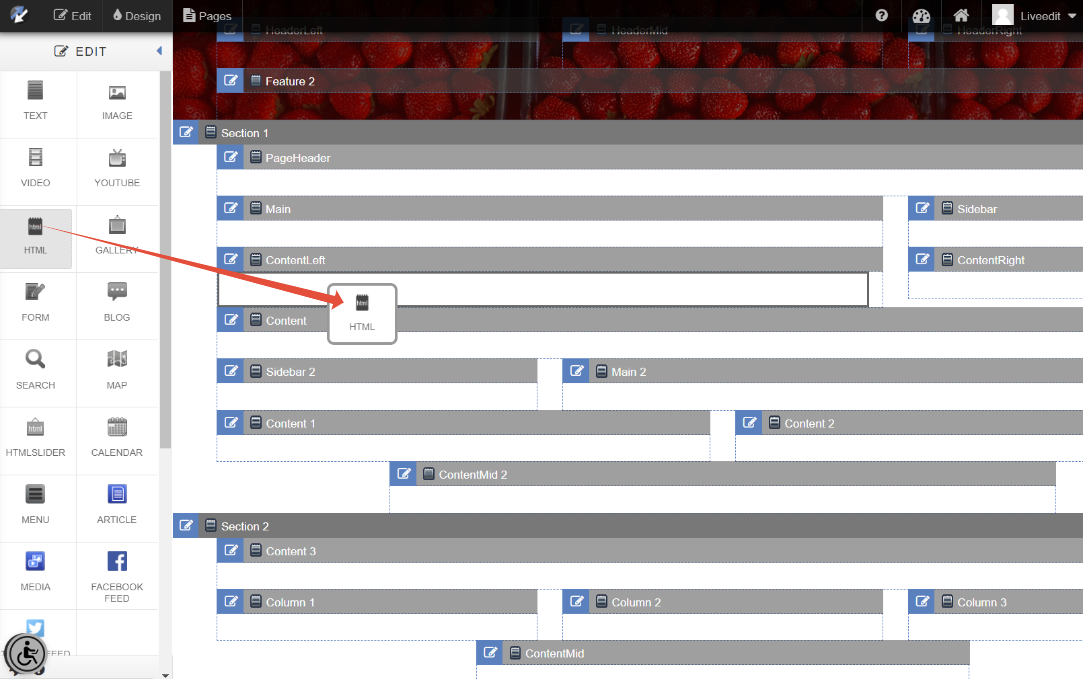
- Paste your copied code snippet and then click Save Changes to save.
Note: You may need to refresh the page after saving to see the widget load in.